
This guide includes important information regarding Loaner devices, accessories and our new charger policy.
Devices
The Technology team maintains a pool of equipment available to students, faculty and staff by request through our ticketing system. We do our best to accommodate all requests - including the last-minute ones. Equipment should be reserved in advance to increase the likelihood of availability.
Reserved equipment can be picked up and returned from 610/2L once you're notified.
Keep in mind
- Those unable to pick up requested equipment by the specified date should notify us by phone or through the initial request (email ticketing system). We will hold the equipment an extra day upon request, but then the equipment will be returned to the loan pool.
- Requests for longer than one week will be assessed on a case by case basis
- Equipment is reserved in the order in which it is received, but special circumstances may be accommodated
- If the device is not returned on time, the Technology Department reserves the right to lock the device at any time after their deadline
Click below to check out our available options
| Equipment Info | Loan Period | Process | |
|---|---|---|---|
|
MacBook Air USB-A ports SDXC card slot macOS Monterey |
1 week (Upon Availability) | Submit a request to Helpdesk | |
| Chromebook | 1 Week | Submit a request to Helpdesk | |
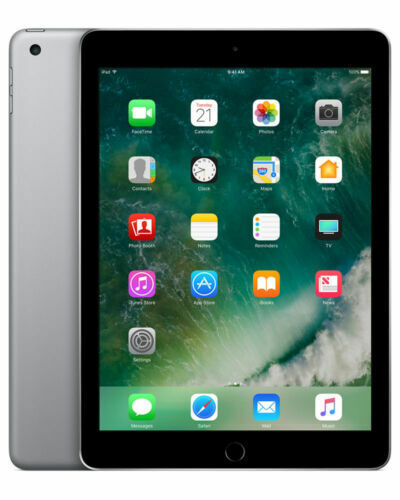 |
iPad 7th Generation (Faculty Only) Pre-installed apps: Google Workspace Camera Photos For more apps: include them in your request |
1 week or long term |
Submit a request to Helpdesk for short term (1 week) Approval needed for long term request | fill out Request Form
|
Based upon availability, we can also loan AV accessories or purchase to later bill your department
| Equipment Info | Loan Period | Process | |
|---|---|---|---|
 |
USB-C to HDMI adapter | 1 week | |
 |
USB-C to USB-A adapter | 1 week | |
 |
USB SuperDrive | 1 week | |
| iPad Pencil / Stylus | Replacement |
Cost: $25 |
Charger Policy
The Technology Office's equipment loaning policy has been updated effective August 1, 2023. Please note that chargers/power cords will no longer be available for borrowing by anyone. If you would still like for us to provide you with a charger, we will charge the appropriate department at a subsidized cost
Faculty/Staff: We will add your Department Chair for approval and bill the cost to your department.
Students: Per the Upper School handbook, families are responsible for covering negligent damage, stolen laptops, replacing power cords, or anything which are not covered by AppleCare+
| Photo of Equipment | Equipment | Compatibility | Brearley Cost | Outside Cost |
|---|---|---|---|---|
 |
45W MagSafe 2 Power Adapter for MacBook Air |
MacBook Air 2017 and older |
$35
|
$79 |
| 60W USB-C Power Cable | MacBook/iPad/iPhone with USB-C port |
$10
|
$19 |
|
 |
70W USB-C Power Adapter | MacBook with USB-C port |
$30
|
$59 |
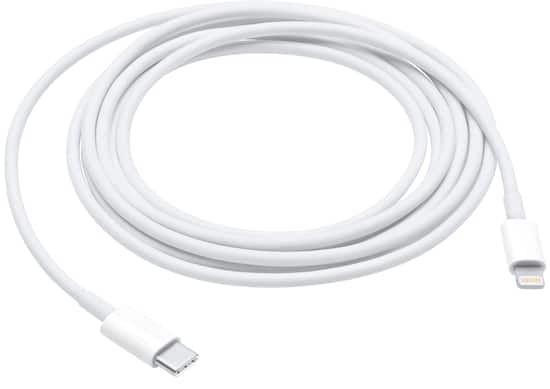 |
Lightning to USB-C | iPhone/iPad with lightning port |
$10
|
$19 |
 |
20W USB-C Power Adapter | USB-C cable for cable with USB-C port |
$10
|
$19 |
| USB-C to MagSafe 3 Cable (2m) | MacBook Air/Pro M3 |
$25 |
$49 |
|
| 35W Dual USB-C Power Adapter | USB-C power Adapter |
$30 |
$59 |
.