Enable screen sharing on Zoom
Updated
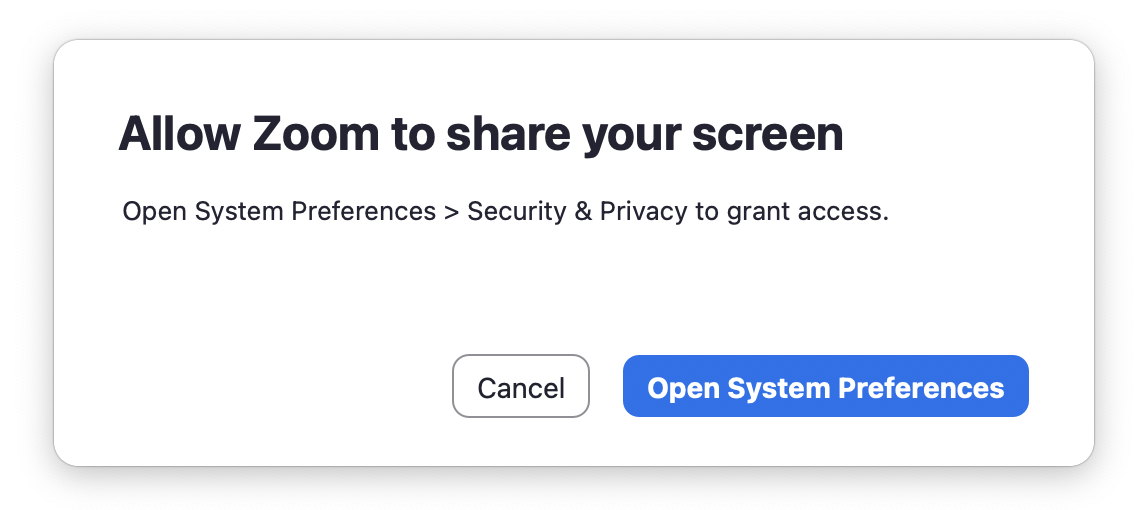
If you try to share your screen for the first time in Zoom and you get this pop-up, do the following:
- Click Open System Preferences
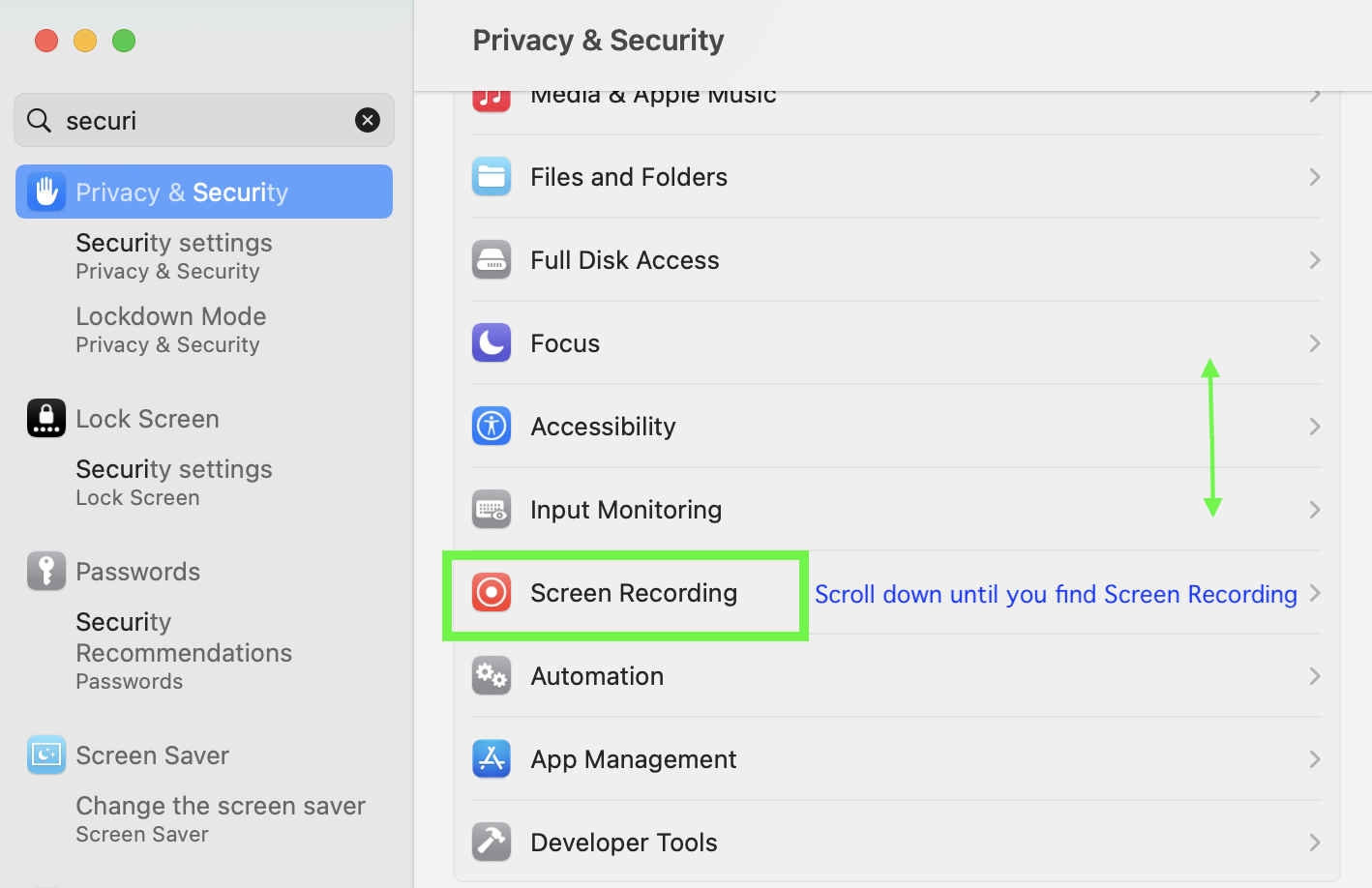
- Search for Privacy and Security and select it
- A new menu will open up, look for Screen Recording
- Look for Zoom and toggle it on
- You may have to restart the application for the changes to take effect
new_request
/hc/en-us/requests/new
/hc/theming_assets/01HZPQAXCMXY9AZFFYJMBP99PW
Submit a Tech Request
custom
https://brearley.jotform.com/231025492028954
/hc/theming_assets/01HZPQAXH5PSK2ZF06RV3AXQMW
Event Request Form
custom
https://brearley.myschoolapp.com/app/#login
/hc/theming_assets/01HZPQAY03YXS0Z28533V0FV2S
Brearley Portal
custom
https://brearley.jotform.com/252362502322041
/hc/theming_assets/01K5YG1GV00F264YGCKGACMTF1
Allowlist Request Form
custom
https://brearley.zendesk.com/hc/en-us/articles/14349409132951
/hc/theming_assets/01HZPQAYKQJ3KBJTBQMQZ39N18
System Status
Secure Print, Email Filtering, BYOD